
How to Search Cases by Name
Start with the iDocket Judicial Case Search. Official help describes a free name-search route. The public page now presents User Id, Password, Sign In, and Subscribe controls. So what you can see depends on your account tier and the clerk's publication settings. Type a precise name first. Partial names and Soundex can widen the net when the full spelling misses.
- Select Texas and Terrell County in Search by Name.
- Enter the litigant's last name and first name, using a partial name only when needed.
- Check Soundex if the spelling may vary, then review the broader matches.
- Compare the court, case number, category, filed date, and parties before opening a result.
- Record the cause number and use it for later clerk, document, or calendar inquiries.
The documented iDocket fields still matter, even with a sign-in gate on the route.
| Field | Type | Required | Use |
|---|---|---|---|
| State | Dropdown | Unspecified | Select Texas. |
| County | Dropdown | Unspecified | Select Terrell County. |
| Litigant | Text | Unspecified | Last and first name; partial names are accepted. |
| Soundex | Control | Optional | Finds similar spellings and may add matches. |
| Category | Dropdown | Optional | Advanced options list civil, criminal, or all. |
| Filing dates | Date range | Optional | Uses MM/DD/YYYY in the documented help. |
Terrell County iDocket Search Modes
iDocket splits its tools three ways: Search by Name, Display Case, and Advanced Search. Display Case works from a known case or cause number. Advanced Search adds category, case type, court, litigant role, attorney, filing-date range, and disposition-date range. Case History filters dig deeper still. They cover motions, orders, and answers or citations. Costs, payments, and ledger entries appear there too. The current Judicial Case Search route shows the account controls a visitor now encounters.
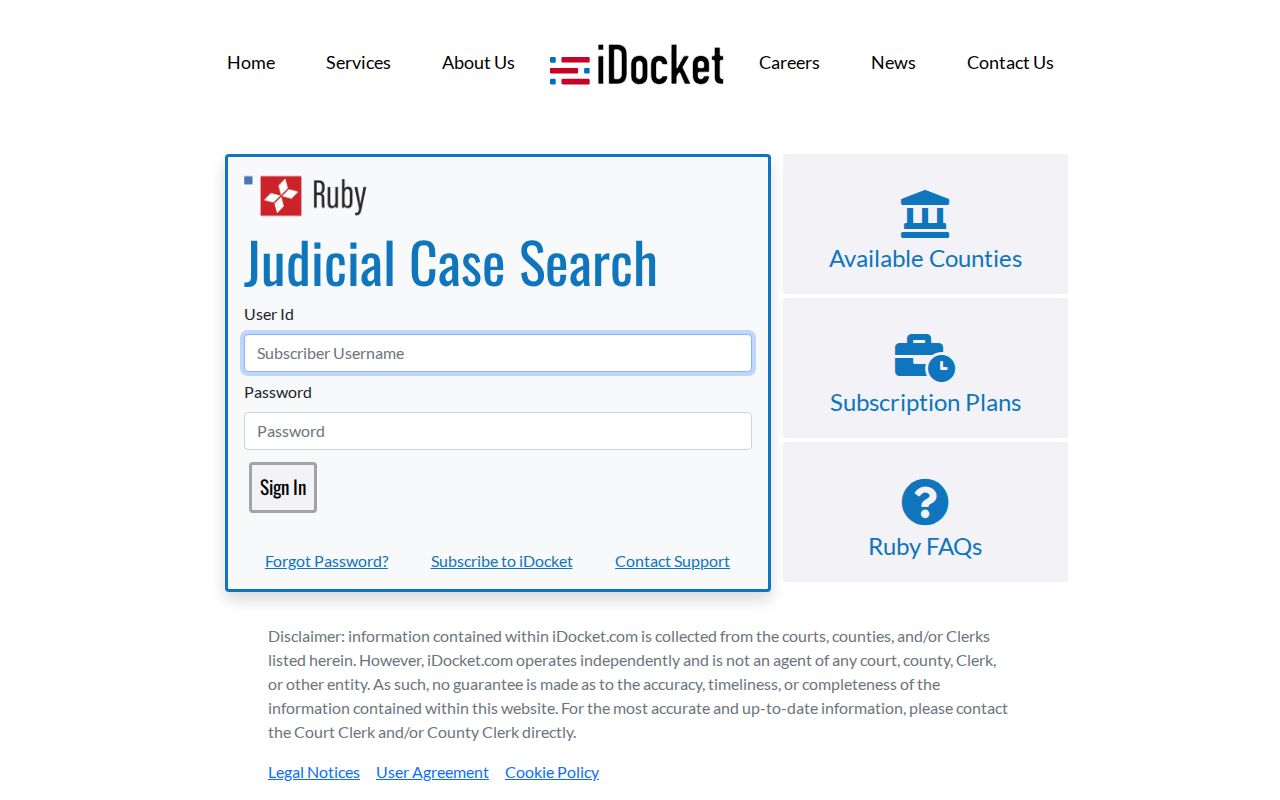
That screen is why no one should promise open access to every case-history feature. Older official help calls basic name information free, but the gate stands. The official iDocket search help lays out these controls and explains how to narrow a result set.

The interface documents the fields without proving every feature is free. Display Case, Advanced Search, and the deeper Case History functions are subscriber features.
How to Search by Case Number
Nothing beats an exact cause number. It sidesteps the common-name problem entirely. Choose Display Case when your account permits, and enter the number exactly as the clerk issued it. The clerk publishes no official case-number pattern. Resist the urge to reshape it into an assumed year, court, or category format. Treat the original as the local style: exact cause number as filed.
Punctuation trouble? Verify the number with the combined clerk instead of guessing at a code. A citation or justice case may never appear in the county and district iDocket rows at all. For those, call the JP office named on the paper. An appellate matter carries its own Eighth Court of Appeals number, even when a notice of appeal shows up in the Terrell County trial docket.
Terrell County or District Row?
iDocket lists Terrell County County and Terrell County District as two separate rows. The County row holds the constitutional County Court's files. Criminal, civil, juvenile, and probate matters sit there. The District row covers records filed through the District Clerk for the 63rd and 83rd District Courts. Felony, major civil, family, and juvenile matters sit in that layer. One office fills both legal clerk roles. Even so, search the layer where the case actually sits.
| Search row | Likely matters | Custodian |
|---|---|---|
| County | Class A or B criminal, county civil, probate, and county-level matters | Combined clerk acting as County Clerk |
| District | Felony, divorce, land-title, major civil, family, and other district cases | Combined clerk acting as District Clerk |
| Neither row | Traffic, Class C, small claims, eviction, and other justice matters | The correct JP office |
The official case-count table also presents County and District as separate Terrell County rows.
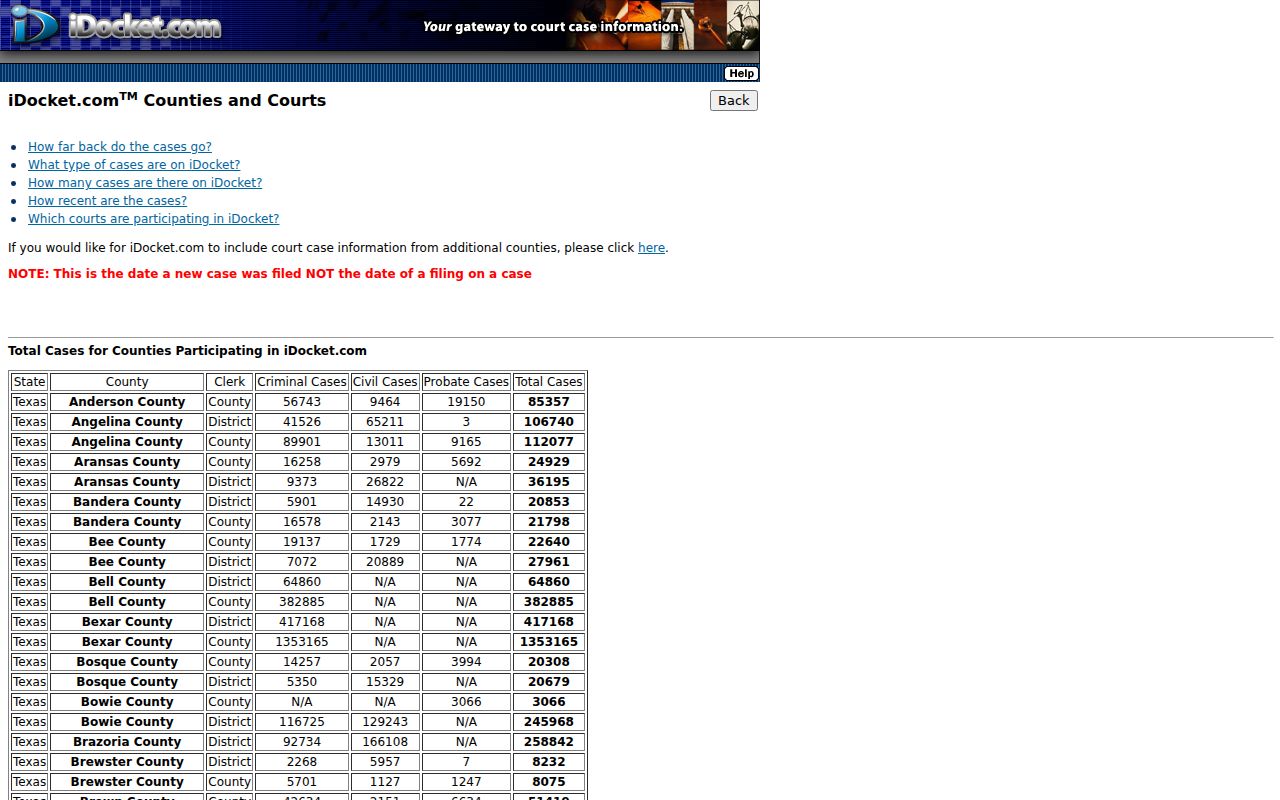
Those totals describe the system's accumulated scope. They are not current pending cases or annual filings. The gap matters more since the 2025 reporting cleanup stripped historical disposed matters from active-caseload reports. There is no municipal-court row either. Official sources identify no incorporated municipality in Terrell County, and Sanderson is a census-designated place, not an incorporated city with its own municipal court.
What a Case Search Shows
A result can identify the file and give you a chronological register, though depth varies. iDocket describes case numbers, parties, filing and disposition dates, type, attorneys, bondsman where relevant, court, offense or case type, costs, fines, fees, payments, and a list of filed documents or notices. Images are another matter. They depend on the clerk's choices and your access tier.
| Case number | The court's identifying cause number; copy it exactly. |
|---|---|
| Style or parties | The caption and listed litigants, which help distinguish similar names. |
| Case type | The civil, criminal, family, probate, or other classification available in the index. |
| Filed date | When the case began, not the date of every later entry. |
| Disposition and status | The recorded outcome date or current state, subject to clerk updates. |
| Case History | A file-docket view organized into motions, orders, citations, actions, costs, payments, and ledger tabs where available. |
A docket line proves one thing only: the clerk recorded an event. It does not replace the petition, indictment, order, or judgment behind that entry. For a certified copy, go to the maintaining clerk.
Terrell County Feed Dates Explained
Terrell County dockets move through two iDocket feeds. One feed covers county cases, and one covers district. A coverage table lets you check whether each feed is still receiving new cases. It listed June 30, 2026 for the County row and July 22, 2026 for the District row. Read those dates with care. They show when the last new case was filed in each feed. They do not show the most recent hearing or filing inside older cases. The official participating-court table spells out which courts report to iDocket. That context matters when you judge how fresh the docket data really is.
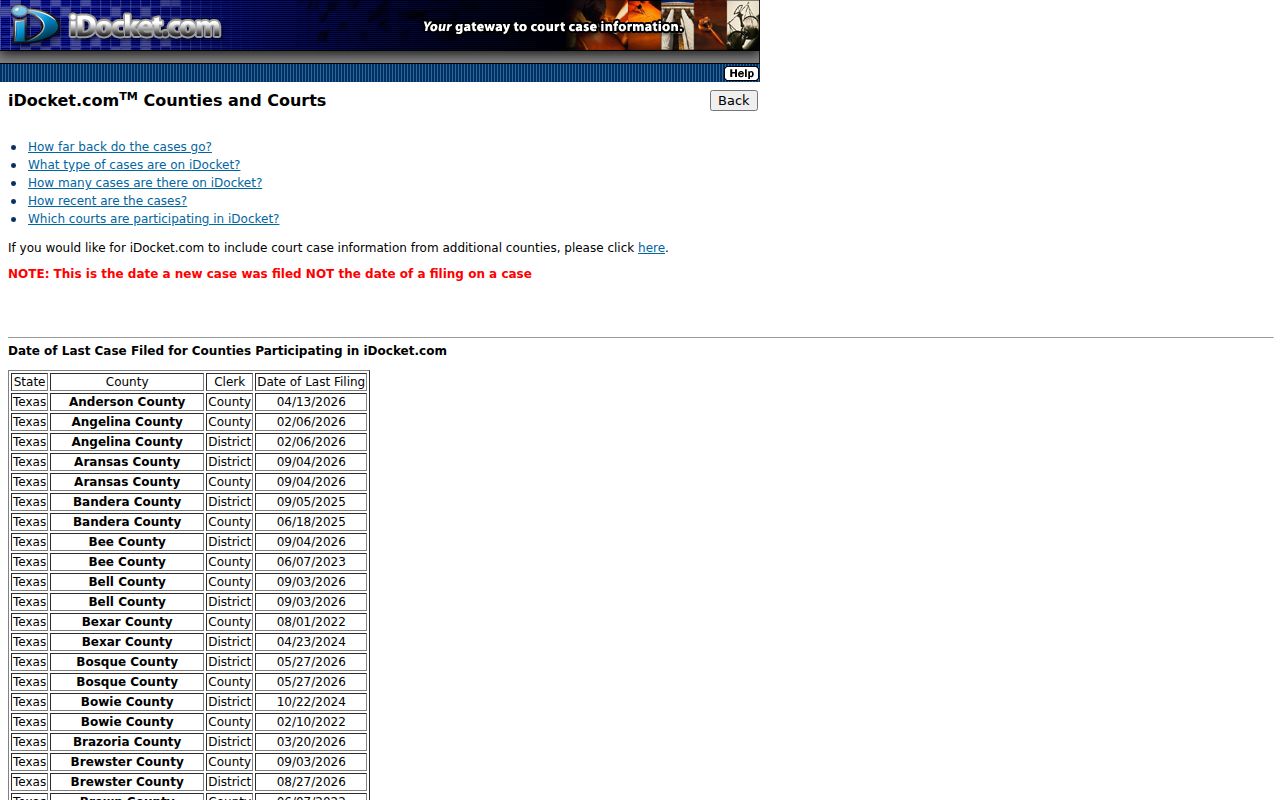
Both rows confirm that the system takes part. Neither date proves a later motion, order, or setting is missing from the clerk's live file. iDocket says extracts occur daily, yet daily extracts still do not make the public copy real-time.
County vs Statewide Case Search
For a known Terrell County county or district file, try iDocket first. Then use re:SearchTX as a second electronic layer when the case or document is integrated and your account has access. Texas offers no single unrestricted statewide trial-court search that replaces the local clerks.
| re:SearchTX | Terrell County iDocket |
|---|---|
| Statewide electronic repository fed through Texas e-filing systems | Local county and district case-data publication |
| Account and document security affect access | Free name information is described, with subscriber-only deeper tools |
| Public documents may cost $0.10 per page, with a $1 minimum per document | Image access and fees depend on the clerk and account tier |
| Best as a second search or document route | Best for a known local county or district case |
eFileTexas moves filings from a lawyer's desk to the clerk. It is not a public search tool. What the public can see still depends on iDocket, re:SearchTX, and the court itself. Access then turns on the file's security classification.
When Terrell County Search Finds Nothing
An empty screen proves no such thing. The file may still exist. A Terrell County docket search can miss for several reasons. The case may sit in the other iDocket row. It might belong to a JP, predate the online feed, or carry a different spelling. Too many filters, a pending data update, or a restricted file can also hide it. Strip out first-name, date, role, and case-type limits. Try Soundex only when the spelling itself is the puzzle.
- Search both the County and District layers that could have jurisdiction.
- Check re:SearchTX if the electronic case type may be covered.
- For a setting, use the shared calendar and call the 63rd or 83rd coordinator.
- Call the combined clerk at (432) 345-2391 with the name, year, court, and case style.
- Ask for a manual search of older files; the county posts a $10 manual-search fee and $1 per page for copies, but confirm that those charges apply to the requested court record.
- For traffic or other justice matters, call the proper JP office instead.
Need to go in person? The Terrell County Courthouse sits at 105 East Hackberry Street in Sanderson. Mail can be sent to P.O. Box or Drawer 410, Sanderson, Texas 79848 once you confirm the details. Fax and email exist as well. The county does not clearly name them as court-record channels, though. So call before sending personal or payment information.
Restricted Cases and Access Rules
Who gets to see what depends on the record. Juvenile law-enforcement and court material is generally confidential. Civil files can be sealed under Rule 76a. Expunction under Texas Code of Criminal Procedure Chapter 55A removes or restricts records. The order directs the scope. Adoption, child-protection, and certain details about minors get special protection too.
Texas Rule of Civil Procedure 21c limits remote access to sensitive data in covered filings. That covers Social Security and tax numbers. It also covers financial account numbers, birth dates, home addresses, and minor names. The public index may stay up while the image stays hidden. Or the public search may return nothing at all. Ask the clerk before requesting protected content. Ask whether a public index or restricted notation can be confirmed.
Terrell County Results and Official Records
The 2019 iDocket launch changed things. County and district case information became far easier to inspect from a distance. The screen is still just a copy of clerk data. It does not replace the paper. A 2025 Office of Court Administration review documented iDocket configuration work plus the removal of many historical disposed cases from active reporting, which explains why a portal total or status can change even while the signed orders underneath stay exactly as they were.
Verify before relying. Use search results to locate the case, then obtain the relevant docket, order, judgment, or certified copy from the court that maintains it.
The combined clerk holds County, 63rd, and 83rd records. Each JP keeps its own files. So a missing case at the main counter may simply mean it sits in a justice court. If the real question is when to appear rather than what was filed, start with the Terrell County court dates sources, then confirm the live setting with the coordinator or JP.